Hiển thị các bài đăng có nhãn Minecraft 1.5.1 Mods. Hiển thị tất cả bài đăng

Thứ Ba, 26 tháng 11, 2013

[Mods] Shape Shifter Z Mod 1.6.4/1.6.2/1.5.2/1.5.1

Shape Shifter Z Mod for Minecraft 1.6.2/1.5.2/1.5.1 Name:Shape Shifter Z Mod
Author(s):
zacuke
For Versions: 1.6.4/1.6.2/1.5.2/1.5.1
Compatility: All
Requires: Microsoft .NET 4.5 installed
Updated: November 27,2013
Category : Minecraft Mods

Description:

The Shape Shifter Z mod allows you to change into any mob, play as the mods. You can turn into all mobs in minecraft by crafting a purple bone and then right clicking.

Features:

Player
  • Herobrine
  • 6x strength
  • Mojang cape
Pig
  • Produce cooked pork
  • Fits in small places
  • Makes pig noises
Sheep
  • Produce colored wool
  • Maps sheep noises
Chicken
  • Triple jump
  • Slow fall
  • Produce chicken eggs
  • Fit in small places
  • Makes chicken noises
Ghast
  • Fly
  • Shoot large fireballs
  • Huge
  • Makes Ghast noises
Spider
  • Climb walls
  • Spray web extremely far
  • Wider than 2 blocks
Cow
  • Moos
  • Sprays cooked beef

Mooshroom
  • Sprays mushrooms
SilverFish
  • Spawn silverfish
  • One block high
  • Silverfish don’t attack you
  • Makes silverfish noises
Squid
  • Breaths underwater
  • Produce ink sac
Enderman
  • Long distance teleport!
  • Makes Enderman noises

Creeper
  • Tim the Enchanter
  • Explosion proof
Blaze
  • Fly
  • Shoot fireball
  • Immune to fire
  • Makes Blaze noises
Zombie
  • Turn anything you kill into zombie
  • Zombies don’t attack you
  • Burns in daylight
  • Turns into Zombie Pigman to avoid burning in daylight
  • Makes zombie noises
Wolf
  • Move extra fast
  • Reduced hunger usage when ability activated
  • Makes wolf noises
Snowman
  • Throw snowball
  • Leave snow trail

Skeleton
  • Shoot arrow
  • Makes skeleton noises
  • 50% chance for wither skeleton skin
Witch
  • Throw potion
  • Immune to instant potion effects
Ocelot
  • Spawn baby ocelot
  • 25% chance to spawn fully grown tamed cat
  • Ocelot mob is not spooked by you
  • Makes ocelot noises
Slime
  • Spawn slimes big and small
  • Makes slime noises and effects
  • Chance to be small, medium, or big slime
  • Slimes are friendly to you
Magmacube
  • Causes fire
  • Jump higher
  • Immune to fire
  • Makes magmacube noises and effects
  • Chance to be small, medium, or big magmacube
  • Magmacubes are friendly to you
Villager
  • Can open iron doors
  • Spawns random items
Golem
  • Knocks enemys high into air
  • Spawns more golems
Bat
  • Fly
  • Makes bat noises
  • Hangs from ceiling automatically
  • Night vision
  • Vampire Bat Mode (Life Leech)
Dragon
  • Fly
  • Shoot Large Fireball
  • Immune to fire
  • Makes dragon noises!!!!!
Wither
  • Fly
  • Makes wither noises
  • Shoots wither head with wither effect

Recipes:

Once upon a time in a land far away there was a man with a bone. It was a purple bone and it let him turn into different things:

Shape Shifter Z Mod for Minecraft 1.6.2/1.5.2/1.5.1


Then he realized he could make a greenish bone too. It let him spew fire balls and cover everything in cobwebs:

Shape Shifter Z Mod for Minecraft 1.6.2/1.5.2/1.5.1


Right click while holding this item to activate the easy to use screen for picking the shape.

Shape Shifter Z Mod for Minecraft 1.6.2/1.5.2/1.5.1

Screenshot

Shape Shifter Z Mod for Minecraft 1.6.2/1.5.2/1.5.1

Shape Shifter Z Mod for Minecraft 1.6.2/1.5.2/1.5.1

Shape Shifter Z Mod for Minecraft 1.6.2/1.5.2/1.5.1

Shape Shifter Z Mod for Minecraft 1.6.2/1.5.2/1.5.1

Shape Shifter Z Mod for Minecraft 1.6.2/1.5.2/1.5.1

Shape Shifter Z Mod for Minecraft 1.6.2/1.5.2/1.5.1

Shape Shifter Z Mod for Minecraft 1.6.2/1.5.2/1.5.1

Changelogs:

v7.9 
  • 1.6.2 Compatible! 
  • Change into any mob 
  • Unique special abilities 
  • Multiplayer Compatible

How to Install

  • Download the latest version of Minecraft Forge installer from (below), choose the installer option.
  • Start >Run (or Windows + r), then type in %appdata% 
  • Click the OK button or the Enter Looking .minecraft/bin/mods folder
  • Drop all files straight into the Minecraft.jar (SMP: server.jar)
  • Done

DOWNLOAD NOW

Shape Shifter Z Mod For 1.6.4:
Shape Shifter Z Mod For 1.6.2:
Shape Shifter Z Mod For 1.5.2:
Shape Shifter Z Mod For 1.5.1:
Shape Shifter Z Mod For 1.4.7:

Chủ Nhật, 24 tháng 11, 2013

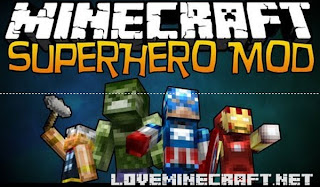
[Mods] Super Heroes Mod for Minecraft 1.6.4/1.6.2/1.5.2

Super Heroes Mod for Minecraft 1.6.2/1.5.2/1.5.1 Name:Super Heroes Mod
Author(s):
colossali
For Versions: Minecraft 1.6.4/1.6.2/1.5.2
Compatility: All
Requires: Install Minecraft Forge
Updated: November 25, 2013
Category : Minecraft Mods

Description:

Ever felt the urge to become a super hero? All the time?
Well, now you can! At least in Minecraft... and we all know that's real life!
  • Fly like an eagle!
  • Blow ­ up!
  • Set Sheep on fire!
  • Jump super high!
Breathe underwater and swim with the squids!
Become Iron Man, Thor, Hulk or Captain America!

    Features:
    • Thor
    • IronMan
    • Hulk
    • Captain America!
    • 3D Weapons

    Recipes :
    [Mods] Super Heroes Mod for Minecraft 1.6.4/1.6.2/1.5.2

    [Mods] Super Heroes Mod for Minecraft 1.6.4/1.6.2/1.5.2

    [Mods] Super Heroes Mod for Minecraft 1.6.4/1.6.2/1.5.2

    [Mods] Super Heroes Mod for Minecraft 1.6.4/1.6.2/1.5.2

    [Mods] Super Heroes Mod for Minecraft 1.6.4/1.6.2/1.5.2


    Super Heroes Mod for Minecraft 1.6.2/1.5.2/1.5.1

    Super Heroes Mod for Minecraft 1.6.2/1.5.2/1.5.1

    Super Heroes Mod for Minecraft 1.6.2/1.5.2/1.5.1

    Super Heroes Mod for Minecraft 1.6.2/1.5.2/1.5.1

    Super Heroes Mod for Minecraft 1.6.2/1.5.2/1.5.1

    How to use Super Heroes Mod:

    Details:
    Watch a mod spotlight, that’s the best thing to do there are a LOT of things in the mod in terms of crafting and operating the suits.

    IRON MAN

    • R = Machine Gun
    • X = Toggle JARVIS
    • C = Uber Fart
    • V = FIre Field
    • B = Rockets
    • Space = Fly
    • Shift = Glide


    THOR


    • While Holding the Hammer:
    • V = Toggle Ability
    • Right Click = Use ability
    • Left Click = Hit Stuff, break blocks, etc.


    HULK

    • Space = Leap
    • Q = Hulk Smash


    CAPTAIN AMERICA

    • Gun – Right Click = fire
    • Shield – Right Click = throw
    • Right Click + Shift = block

    Changelogs:

    v5.5
    • More Iron Man Suits! Use different dyes + Iron Man Armor for them! 
    • New HUD for Iron Man! Removed JARVIS Messages (redundant)

    How to Install

    • 1. First,You ned download the latest Forge
    • 2. Download the Super Heroes Mod .zip file
    • 3.Start >Run (or Windows + r), then type in %appdata% 
    • Click the OK button or the Enter Looking .minecraft/bin/mods folder
    • 4.Put Super Heroes Mod zip file into your /.minecraft/mods folder. Do not unzip it.
    • 5.Done
    • 6.FOR SMP USE SAME ZIP AND INSTALL FORGE ON YOUR SERVER JAR

    DOWNLOAD NOW

    Super Heroes Mod for Minecraft 1.6.4
    Super Heroes Mod for Minecraft 1.6.2
    Super Heroes Mod for Minecraft 1.5.2
    Super Heroes Mod for Minecraft 1.5.1
    Super Heroes Mod for Minecraft 1.5
    Super Heroes Mod for Minecraft 1.4.7

    Thứ Ba, 8 tháng 10, 2013

    [Mods] Minecraft Thaumcraft Mod 1.6.4/1.6.2/1.5.2

    [Mods] Minecraft Thaumcraft Mod 1.5.2/1.5.1/1.4.7 Name:Thaumcraft Mod
    Author(s):
    Azanor
    For Versions: Minecraft 1.6.4/1.6.2/1.5.2
    Compatility: All
    Requires: None
    Updated: October 08, 2013
    Category : Minecraft Mods

    Thaumcraft Mod Description:

    • Thaumaturgy… which giveth certain order to make strange works, of the sense to be perceived and of men greatly to be wondered at.
    • Thaumaturgy is the capability of a magician to work miracles. A practitioner of thaumaturgy is a thaumaturge, thaumaturgist or miracle worker.
    • This is what this mod is all about – drawing magic from physical objects in the form of Essentia and reshaping it to perform miracles.

    Thaumcraft Mod Video Review:


    See More:


    Thaumcraft Mod Recipes:

    The first thing you will need to craft is a wand. The first one available to you is the Wand of the Apprentice crafted as shown here:

    [Mods] Minecraft Thaumcraft Mod 1.5.2/1.5.1/1.4.7

    Any type of shard can be used in the recipe.
    You then place a bookshelf in the world and right click on it with the wand. This gives you the Thaumonomicon which explains almost everything else you will need to know about Thaumcraft.

    Thaumcraft Mod Changelogs:

    v4.0.0
    • Working both 1.6.4 and 1.6.2
    • Almost everything has changed so consult your thaumonomicon

    Thaumcraft Mod How to Install

    • Download the latest version of Minecraft Forge installer from (below), choose the installer option.
    • Start >Run (or Windows + r), then type in %appdata% 
    • Click the OK button or the Enter Looking .minecraft/bin/mods folder
    • Drop all files straight into the Minecraft.jar (SMP: server.jar)
    • Done
    Adding Thaumcaft world generation to existing worlds
    Yes, you heard that right. You can add all the ores, trees and other worldgen features to existing worlds by changing a few things in your config files. Remember: this could be risky so always backup your saves beforehand.
    • If this is the first time loading Thaumcraft with that save, you can leave the regen_keysetting as ‘DEFAULT’ otherwise set it to anything else.
    • You need to choose what to regenerate. I strongly recommend you set aura_nodes to‘true’ if this is the first time you are doing this. Without the aura you won’t be able to do 99.9% of the things you could in Thaumcraft.
    • Run the game. It will lag for a while and you should see some console spam about chunks being regenerated. This is fine – just wait it out. It shouldn’t take too long. If the world had been explored a lot you might see the message reappear every now and again. This is also normal.
    • If, for some reason, you wish to do this again or somehow your savefile got corrupted and your aura nodes have gone missing, all you need to do is set the regen_key value to something else. Any word would do.
    IMPORTANT: If you chose to generate TC ores and such in an existing world It is best to keep the config as-is. Do not switch everything off again after running the game or server once. As you explore chunks that have been explored in the past, but you haven’t visited yet the new TC will regen in them as well. If you turn it off before you get a chance to revisit them nothing will be genererated and you will have to do the regeneration from scratch to add it to those chunks which could cause doubling of ores and nodes.

    DOWNLOAD NOW


    Thaumcraft Mod For 1.6.2/1.6.4:

    Thaumcraft Mod For 1.5.2:
    Thaumcraft Mod For 1.5.1:
    Thaumcraft Mod API (For modders) 1.5.1:
    Thaumcraft Mod For 1.4.6/1.4.7:
    Thaumcraft Mod For 1.4.5:

    Chủ Nhật, 6 tháng 10, 2013

    [Mods] Minecraft Smart Moving Mod 1.6.4 / 1.6.2

    [Mods] Minecraft Smart Moving Mod 1.6.2/1.5.2/1.5.1 Name: Smart Moving Mod
    Author(s):
    Divisor
    For Versions: Minecraft 1.6.4 and down
    Compatility: All
    Requires: API Player
    Updated: October 06 , 2013
    Category : Minecraft Mods

    Description:

    It adds many animations and new functions, giving two controls that you need to key bind, the sprinting key and the grab key. This mod is very intuitive with it’s controls allowing for a lot of new functions that allow you to navigate the terrain much faster, smoother and overall much more effectively

    Features:

    Details:
    Free Climbing
    This mod implements an optional mode of free climbing behaviour. When enabled by configuration or by default you can climb everywhere you find at least a block sized horizontal edge.
    To climb up you have to move forward toward the edge (default “W”) and click and hold the grab button (default “LCONTROL”).
    To climb down click and hold the grab button without moving forward toward the edge.
    To grab an edge while falling down along a wall, rotate towards the edge in the wall and press thegrab button. If you are still falling slow enough, free climbing will start. If you are beyond a certain falling speed when grabbing, damage will be done to you.
    To change this default grab button visit Minecrafts “Options”/”Controls” menu.
    Ladder Climbing
    This mod implements three additional modes of ladder climbing behaviour.
    Simple Mode:
    • Standard climbing on complete ladder coverage
    • Standard climbing on feet only ladder coverage
    • Slow climbing on hands only ladder coverage
    Smart Mode:
    • Standard climbing on complete ladder coverage
    • Slow climbing on feet only ladder coverage
    • Slow climbing on hands only ladder coverage
    • Standard climbing when “holes” in the walls next to the ladder are present (solid block/nonsolid block or half steps)
    Free Mode:
    • Ladder climbing is functionally embedded in the feature free climbing.
    • Specific speeds are configurable on top of the free climbing configuration with Smart Mode-inspired default values.
    Climbing along ceilings
    This mod allows climbing along ceilings as long as the ceiling block supports it. Currently only the steel fence block and the closed trap door block support ceiling climbing.
    To start climbing along ceilings hold the grab button when below, but not too far below, the climbable ceiling. To stop ceiling climbing simply release the grab button.
    If wall climbing is also possible when pressing the grab button, wall climbing will start instead. In this case turn into the direction you want to move to start ceiling climbing.
    Climbing up vines
    To start climbing up vines hold the grab button when in front of a vine and hold the jump button to start climbing up.
    To stop climbing up just release the jump button. To stop climbing at all release the grab button.
    Configurable sneaking
    This mod allows to configure the standard sneaking via the configuration file. The sneaking speed can set and sneaking can be disabled at all.
    Additionally sneaking can be made togglable. When toggled on it can be toggled off by pressing the sneak button again. This also works while swimming or diving.
    Alternative Swimming and Diving
    This mod implements optional alternative swimming and diving behaviours.
    To dive jump into still water that is at least two blocks deep. Then press and hold the forwardbutton to dive. To steer use your mouse.
    To swim stop holding the forward button and press and hold the jump button instead until you reach the surface. Then press and hold the forward button again to swim. To steer use yourmouse again.
    To dive again stop pressing the jump button and direct your mouse toward the depths.
    When you are walking in one block deep water you can switch to diving by pressing the sneak and then the grab button. If you press the jump button before the grab button you will switch to swimming instead.
    When you are swimming or divind in one block deep water you can switch to walking by pressing thegrab button.
    Alternative Flying
    This mod implements an optional alternative flying behaviour.
    It completely replaces standard flying and allows you to fly up and down via looking. The standard flying jump to raise, sneak to fall behaviour has been reimplemented and works similar to its standard flying counterpart.
    Alternative flying can be started and ended just like standard flying by double clicking the jumpbutton.
    Charged jumps
    This mod implements optional, configurable charged jumps.
    To start charging press and hold the jump button while sneaking on the spot. To jump either release the jump button or stop sneaking. The default maximum charge jump height is two blocks.
    When you start moving while charging the charge will be lost.
    Wall Jumping
    This mod implements the possibility to wall jump from blocks.
    To wall jump from a block press jump while being airborne, release it, and press it again before hitting the block you want to wall jump from horizontally. When you collide with the block – while not falling too fast allready – a wall jump will be triggered.
    You can also head wall jump from a block instead by also pressing the grab button before hitting the block you want to wall jump from.
    To cascade your wall jumps just keep pressing jump. To break your cascade release jump. Hitting the ground or head wall jumping will also break the cascade.
    Head Jumps
    This mod implements the possibility to jump head first instead of head up.
    To head jump start sprinting and press the grab and the jump button. When the jump button is released you will jump, head first, with a angle depending on how long you pressed the jumpbutton.
    Hitting ground while falling with your head first will damage you more than hitting ground with your feet first.
    Side & Back Jumps
    This mod implements the possibility to jump to the side or back while straightend on ground.
    To jump left double click the left button, to jump right double click the right button and to jump back double click the back button.
    You can also jump back-left and back-right by double clicking both relevant buttons at once.
    Climb Jumps
    This mod implements the possibility to jump up and back while free climbing.
    To jump up climb up as far as possible and click the jump button.
    To jump back stop climbing by releasing the forward button press the sneak button to hold the height release the grab button and click the jump button.
    You can also head jump back instead by not releasing the grab button after pressing the sneak button and before clicking the jump button.
    Sliding
    This mod implements ground sliding.
    To slide on the ground you have to start sprinting first. Then press the sneak button while pressing the grab button.
    Additionally you can start sliding from forward jumping or flying. Just hit the ground while pressing the sneak and the grab button.
    You will slide as long as the initial horizontal ground hitting speed and the ground spipperiness supports it. If the sneak button is still pressed when the sliding stops you start crawling instead.
    To stop sliding before it stops itself simple stop pressing the sneak button.
    Faster Sprinting and Exhaustion
    This mod implements a faster, optional, configurable sprinting and exhaustion behaviour. It is merged with the standard minecraft sprinting and hunger behavior.
    To sprint you have to move forward and click and hold the sprint button (default “TAB”). Sprinting is currently possible for walking, swimming diving, crawling, and climbing.
    Sprinting optionally causes exhaustion and will automatically end when a certain configurable threshold is reached.
    To change this default sprint button visit Minecrafts “Options”/”Controls” menu.
    Crawling
    This mod implements an optional crawling movement to fit through 1×1 passages.
    To crawl you have to press the grab and the sneak button. When climbing would be possible at you current position and direction you might start climbing instead. To avoid this press the sneakbutton before the climb button to ensure to start crawling. When crawling you can release thegrab button.
    You can also free climb while crawling. Just move to the related edge press grab and move forward towards it.
    Additionally you can free climb into a crawlable gap. Just press sneak while you climb up and you will end up crawling in the first crawlable gap along your climb path.
    Crawlingcan be made togglable via the configuration file. When toggled on it can be toggled offby pressing the sneak button again to enter sneaking of by pressing the jump button to stand up immediately.

    Configurability

    • This mod changes the behaviour of its features depending on the content of the configuration file “smart_moving_options.txt” in the “.minecraft” directory of your minecraft installation.
    • Currently the difficulty levels “Easy”, “Medium” and “Hard” are configured. You can switch between those in-game by pressing F9 (the exact button can be changed too)
    • More information about the configuration of this mod is included in its readme and option files.
    • Previous option files like “smart_climbing_options.txt” and “smart_ladder_climbing_speed_options.txt” are still accepted but their content is eventually overridden by the content of existing more actual option files.
    • If no option files are present at all, the default option values (all features, default configuration) will be used.
    • If an option is not present in the files, the corresponding default value will be used.
    • The option “move.options.version” will be used for cross version compatibility.

    Smart Moving Mod Demo

    How to Install

    Requirements:
    • Client:
    • Server:
      • ModLoaderMP server and Player API server for the ModLoaderMp server package
      • Minecraft Forge server and Player API server for the Minecraft Forge server package
    • Bukkit:
      • Player API bukkit
    Installation: (Read the “installation” sections of this mod’s download’s readme files)
    • Installation varies depending on your minecraft installation.
    • So choose your package and install it – do NOT install more than one package.
    In any case, NEVER forget: ALWAYS back up your stuff!
    Standalone for Client:
    Your minecraft installation does not use any mod management system.
    You don’t care about other mods, you just want to smart move while playing Minecraft.
    • Copy all files inside one of the included “Standalone” zip packages to their corresponding locations in your “Minecraft.jar” in your “/.minecraft/bin/”.
    • Do not forget to delete the “META-INF” directory while you are at it.
    • Choosing the package depends on the other mods you want to be installed in your “Minecraft.jar”.
    • The client standalone package “Smart Moving Client Standalone Minecraft-asv-atc-gu-gz.zip” overwrites the files “net/minecraft/client/Minecraft.class”, “asv”, “atc.class” “gu”.class and gz.class.
    • The client standalone package “Smart Moving Client Standalone anz-asv-auq-gu-gz.zip” overwrites the files “anz.class”, “asv”, “auq.class”, gu.class and gz.class.
    • Each package should not be combined with other mods that overwrite any of its corresponding files.

    Changelogs

    v14.2
    • Fixed control name/code converters for mouse buttons and updated bukkit installation package to CraftBukkit 1.6.2-R0.1

    DOWNLOAD NOW

    For 1.6.4:
    For 1.6.2:
    Installer (exe):
    Manual (zip):
    For 1.5.2:
    For 1.5.1:
    For 1.5:
    For 1.4.7:
    For 1.4.5:

    Thứ Sáu, 27 tháng 9, 2013

    [Mods] Minecraft Millenaire Mod 1.6.4/1.6.2/1.5.2/1.4.7/1.4.5

    [Mods] Minecraft Millenaire Mod 1.6.2/1.5.2/1.4.7/1.4.5 Name:Millenaire Mod
    Author(s):
    Millénaire
    For Versions: Minecraft 1.6.4 and down
    Compatility: All
    Requires: None
    Updated: September 27, 2013
    Category : Minecraft Mods

    Description:

    • Millénaire is a single-player mod for Minecraft. It aims to fill the “emptyness” of single-player worlds by adding NPC villages to it, with loose 11th-century Norman, North Indian and Mayans themes and additional cultures planned.
    • Villages are populated with men, women and children of various kinds, who perform tasks such as trading with the player, expending current buildings or improving existing ones, cultivating crops such as wheat in Norman villages and rice in Indian ones, crafting tools and powerful amulets, etc. As the village expends, the number of villagers increases as couples have children who grow up into new adults.
    • Help villages grow by trading with them and be rewarded with unique items such as Normand and Indian food or statues and tapestries to decorate your house with. And if they start liking you enough, they might even build you a house of your own.
    • Millénaire is available in the following languages: French, English, German, Russian, Polish, Spanish, Czech, Swedish, Dutch, Portuguese and Slovenian (more coming!)
    See more : Millénaire Library

    Screenshots:

    Advanced Indian village
    [Mods] Minecraft Millenaire Mod 1.6.2/1.5.2/1.4.7/1.4.5


     Mayan agricultural village
    [Mods] Minecraft Millenaire Mod 1.6.2/1.5.2/1.4.7/1.4.5

    See More:
    You can fill this space with everything you want, like image, code, text, etc

    Recipes:

    Type of villagers
    There are currently seven types of villagers:
    • Farmers, who grow crops in the fields around their house, and bring the resulting wheat back to their house chest.
    • Lumbermen, who chop trees, plant new trees with saplings they get from destroying leaves, and gather cider apples from leaves as well. They put the wood and apples they gather in their house chests.
    • Wives, who have the most complex work: taking resources from their husbands’ work to the various public buildings, making bread from wheat, making cider from cider apples, trading with the player and building new constructions.
    • Children, born at night, and which grow up to become adults when bread is available and new houses are built.
    • Guards that patrol the village
    • Priests that visit the church (and the tavern…)
    • Smiths, which makes Norman tools in the forge
    Expansion of the village
    The main “aim” of the villagers is to improve their village. There are six initial villagers, but their number will grow as they have children and build new houses. They can also build new types of buildings and improve existing ones. For this they need building materials: wood, cobblestone, glass and stone. The first they can get themselves, the rest only through trade with the player. A complete village currently includes a bakery, a tavern, a church, fountains, a presbytery, a guard tower and an (ugly) castle, plus custom buildings if advanced.
    [Mods] Minecraft Millenaire Mod 1.6.2/1.5.2/1.4.7/1.4.5
    Advanced village, with almost all the default buildings as of 0.4.5


    [Mods] Minecraft Millenaire Mod 1.6.2/1.5.2/1.4.7/1.4.5
    Inside a Hindu temple
    Trade with the player
    There are three locations at which the player can trade with the villagers: their Town Hall, the bakery and the tavern (when built):
    • Town Hall (present at start): you can sell wood, stone, cobblestone, iron and glass (plus extra blocks at time). Payment made in deniers, a special item. You can also buy wood there, and the “village wand”.
    • Bakery (when built, requires only wood, so normally they can do it without help): buy bread.
    • Tavern (when built, requires glass, so only after you’ve sold enough to the villagers): buy cider and in upgrade taverns calva. Cider and calva can be used multiple times and give back health.
    To trade, go to one of the locations in question and stand near the chests. If no woman is around one will arrive shortly. Right-click on her to bring up the trade screen.
    Hold the left shift key while clicking on a trade good in the trade screen to trade 8 by 8 or the left control key to trade 64 by 64.

    Finding a village
    Since 0.1.4, the easiest way to find a village is to press the V key. If a village is nearby, it will display its name, the distance to it and the general direction. Most new worlds should have villages near the spawn point. If you can’t find one at all, check in the world with the seed b. If there are none there, there is an issue with the mod install.

    Creating a new village: the Village Wand
    With enough deniers, you can buy a “village wand” from the Town Hall of a village. When used on a obsidian block, it will attempt to generate a new village around the block. Warning: using a village wand is dangerous, as the village can end up being built on top of you, killing you if the ground level goes up. Don’t use it you can’t afford a respawn…

    Changelogs:

    v5.1.9
    • [Client & SP] Mayan version of Mayan dialogues by theycallmePoncho
    • [Server & Solo] Fixes for the efficiency of tools, weapons and armours
    • [Client & SP] Japanese translation by Juri
    • [Client & SP] Korean translation by Lime, dohyun22 and the players from JustminecraftsServer

    How to Install

    • Millénaire Installer 1.3 download
    • This installer is not required, but is very much recommended as it makes installing Millénaire faster and simpler, with less risk of errors. It is available for Mac, Windows and Linux and is compatible with other mods and installers.
    • Also note that neither ModLoader nor Millénaire itself are included in the download. You need to download them seperately.
    For Mac OS X:   Sever Mediafire
    For Windows:     Sever Mediafire
    For Linux:           Sever Mediafire

    DOWNLOAD NOW

    For 1.6.4:
    Client:
    Server:
    For 1.6.2:
    Client:
    Server:
    For 1.5.2:
    Client:
    Server:
    For 1.5:
    Client:
    Server:
    For 1.4.7:
    Client:
    Server:
    For 1.4.6:
    Client:
    Server:
    For 1.4.5:
    Client:
    Server:

    Thứ Bảy, 21 tháng 9, 2013

    OptiFine HD Mod Minecraft 1.6.4/1.6.2/1.5.2/1.5.1

    Name:Shape Shifter Z Mod
    Author(s):
    sp614x
    For Versions: Minecraft 1.6.4/1.6.2/1.5.2
    Compatility: All
    Requires:
    Updated: September 21,2013
    Category : Minecraft Mods

    Description:

    You can download OptiFine HD Mod and begin using HD textures with none problems! OptiFine HD could be a mod with several features that is employed for higher look and performance. It conjointly doubles your FPS!
    OptiFine Mod Features:
    FPS boost (examples)

    • doubling the FPS is common
    • decreases lag spikes and smooths gameplay

    Support for HD Textures

    • HD textures and HD fonts (MCPatcher not needed)
    • custom terrain and item textures
    • animated terrain and item textures
    • custom HD Font character widths
    • custom colors
    • custom block color palettes
    • custom lighting
    • unlimited texture size

    Variable Render Distance (example)

    • from Tiny to Extreme (2 x Far) in 16m steps
    • sun, moon and stars are visible in Tiny and Short distance

    Configurable Smooth Lighting (examples)

    • from 1% smooth lighting without shadows
    • to 100% smooth lighting with full shadows

    Performance: VSync

    • Synchronizes framerate with monitor refresh rate to remove split frames and smooth gameplay

    Smart Advanced OpenGL

    • more efficient, less artifacts
    • Fast faster, some artifacts still visible
    • Fancy slower, avoids visual artifacts

    Fog control

    • Fog: Fancy, Fast, OFF
    • Fog start: Near, Far

    Mipmaps (examples)

    • Visual effect which makes distant objects look better by smoothing the texture details
    • Mipmap level OFF, 1, 2, 3, Max
    • Mipmap type Nearest, Linear

    Anisotropic Filtering (examples)

    • Restores details in mipmapped textures
    • AF level OFF, 2, 4, 8, 16 (depends on hardware support)

    Antialiasing (examples)

    • Smooths jagged lines and sharp color transitions
    • AA level OFF, 2, 4, 6, 8, 12, 16 (depends on hardware support)

    Better Grass

    • Fixes grass blocks side texture to match surrounding grass terrain

    Better Snow (examples)

    • Fixes transparent blocks textures to match surrounding snow terrain

    Clear Water (examples)

    • Clear, transparent water with good visibility underwater

    Random Mobs

    • Use random mob textures if available in the texture pack

    Connected Textures (examples)

    • Connects textures for glass, glass panes, sandstone and bookshelf blocks which are next to each other.

    Natural Textures (examples)

    • Removes the gridlike pattern created by repeating blocks of the same type. Uses rotated and flipped variants of the base block texture.

    FPS control

    • Smooth FPS stabilizes FPS by flushing the graphics driver buffers (examples)
    • Smooth Input fixes stuck keys, slow input and sound lag by setting correct thread priorities

    Chunk Loading Control

    • Load Far loads the world chunks at distance Far, allows fast render distance switching
    • Preloaded Chunks defines an area in which no new chunks will be loaded
    • Chunk Updates per Frame allows for faster world loading
    • Dynamic Updates loads more chunks per frame when the player is standing still

    Configurable Details

    • Clouds Default, Fast, Fancy
    • Cloud Height from 0% to 100%
    • Trees Default, Fast, Fancy
    • Grass Default, Fast, Fancy
    • Water Default, Fast, Fancy
    • Rain and Snow Default, Fast, Fancy
    • Sky ON, OFF
    • Stars ON, OFF
    • Sun & Moon ON, OFF
    • Depth Fog ON, OFF
    • Weather ON, OFF
    • Swamp Colors ON, OFF
    • Smooth Biomes ON, OFF
    • Custom Fonts ON, OFF
    • Custom Colors ON, OFF
    • Show Capes ON, OFF (supports HD capes)

    Configurable animations

    • Water Animated OFF, Dynamic, ON
    • Lava Animated OFF, Dynamic, ON
    • Fire Animated OFF, ON
    • Portal Animated OFF, ON
    • Redstone Animated OFF, ON
    • Explosion Animated OFF, ON
    • Flame Animated OFF, ON
    • Smoke Animated OFF, ON
    • Void Particles OFF, ON
    • Water Particles OFF, ON
    • Rain Splash OFF, ON
    • Portal Particles OFF, ON
    • Dripping Water/Lava OFF, ON
    • Terrain Animated OFF, ON
    • Items Animated OFF, ON

    Fast Texturepack Switching

    • Switch the current Texturepack without leaving the world

    Fullscreen Resolution

    • Configurable fullscreen resolution

    Debug

    • Fast Debug Info removes lagometer from debug screen
    • Debug Profiler removes profiler from debug screen

    Time Control

    • Default, Day Only or Night Only works in only in Creative mode

    Autosave

    • Configurable Autosave interval
    • A fix for the famous Lag Spike of Death
    Editions:
    OptiFine HD Mod Minecraft 1.6.2/1.5.2/1.5.1

    How to Install:

    If attainable begin with a clean minecraft.jar and check the mod compatibility section above.
    A. Easy Installation
    • Download and start the Magic Launcher
    • Click Setup, click Add, select the downloaded zip file
    • Click OK, login and play Minecraft
    B. Manual Installation
    Windows/Linux Instructions:
    • Locate your minecraft.jar file. On Windows, it’s in %APPDATA%/.minecraft/bin
    • Create a backup of minecraft.jar
    • Open minecraft.jar in AN archive editor (WinRar/7-Zip/etc)
    • Delete the META-INF folder.
    • Copy (drag and drop) the .class files from the downloaded zip file into the jar file, replacement previous files.
    • Run Minecraft and test!
    Mac Instructions:
    • Locate your minecraft.jar file. On Mac, it’s in <home>/Library/Application Support/minecraft/bin
    • Create a backup of minecraft.jar
    • Rename minecraft.jar to minecraft.zip and double-click it to extract the contents
    • Rename the resulting folder to minecraft.jar and open it
    • Copy the .class files from the downloaded zip into the minecraft.jar folder, replacing previous files
    • Run Minecraft and test

    DOWNLOAD NOW

    For Minecraft 1.6.4
    OptiFine HD C4 Ultra
    https://mega.co.nz/#!VRwXGLrJ!bcKnSwmjLzQcJYiaFI1DLCKxObgt5necfXS1LA2IySs
    http://www.mediafire.com/?v3zbct3d3i950pm
    https://www.dropbox.com/s/5pgpfhxopc7wvjy/OptiFine_1.6.4_HD_U_C4.jar
    http://www46.zippyshare.com/v/79864702/file.html
    For Minecraft 1.6.2
    OptiFine HD B4 Ultra
    has all the features of Standard, Smooth, Multi-Core and AA, highly configurable
    https://www.dropbox.com/s/00qdagylx80uvoj/OptiFine-HD-Ultra-B4-1.6.2.zip
    http://www.mediafire.com/?oebzyt9q5qlz35u
    OptiFine HD B4 Standard 
    has built-in support for HD textures, HD fonts and BetterGrass, MCPatcher not needed
    https://www.dropbox.com/s/b0rnhss6jo1qota/OptiFine-HD-Standard-B4-1.6.2.zip
    http://www.mediafire.com/?qippwag1phho172
    OptiFine HD B4 Light
    The light edition improves FPS, especially for slower computers. Gains of 20 FPS and more are common. No HD features or extended configurations included. Based on Optimine by Scaevolus.
    https://www.dropbox.com/s/4o1i8cnczh1bqm0/OptiFine-HD-Light-B4-1.6.2.zip
    http://www.mediafire.com/?99jxe11a9ha909o
    For Minecraft 1.5.2
    OptiFine HD D2 Light
    Dropbox - OptiFine HD D2 Light
    Mediafire -OptiFine HD D2 Light
    OptiFine HD D2 Ultra
    Dropbox - OptiFine HD D2 Ultra
    Mediafire -OptiFine HD D2 Ultra
    OptiFine HD D2 Standard
    Dropobox - OptiFine HD D2 Standard
    Mediafire -OptiFine HD D2 Standard
    OptiFine HD D3 Ultra
    Dropbox - OptiFine HD D3 Ultra
    Mediafire -OptiFine HD D3 Ultra
    OptiFine HD D3 Standard
    Dropobox - OptiFine HD D3 Standard
    Mediafire -  OptiFine HD D3 Standard
    OptiFine HD D2 Standard
    Dropobox - OptiFine HD D2 Standard
    Mediafire -OptiFine HD D2 Standard
    OptiFine HD D5 Ultra
    Dropbox - OptiFine HD D5 Ultra
    Mediafire -OptiFine HD D5 Ultra
    OptiFine HD D5 Standard
    Dropobox - OptiFine HD D5 Standard
    Mediafire -  OptiFine HD D5 Standard

    Chủ Nhật, 15 tháng 9, 2013

    [Mods] Minecraft Chocapic13 Shaders Mod 1.6.2/1.5.2

    [Mods] Minecraft Chocapic13 Shaders Mod 1.6.2/1.5.2 Name:Chocapic13 Shaders Mod
    Author(s):
    chocapic13
    For Versions: Minecraft 1.6.2/1.5.2
    Compatility: All
    Requires: GLSL Shaders, OptiFine
    Updated: September 15, 2013
    Category : GLSL Shaders

    Description:

    Chocapic Shaders is a mod that dramatically improves the graphics of Minecraft. As its name suggests, its main function is to add dynamic shadows (shaders in English), a pleasing effect of wind on the leaves, real sunshine and a better water modeled before. Shaders have several different versions, all more or less resource intensive.

    Features:

    • Parallax Occlusion Mapping (add relief to blocks + reflections)
    • Bumpmap (less performance expensive method to add relief + reflections)
    • Classic (no relief and standard graphic amelioration)

    Screenshots:

    [Mods] Minecraft Chocapic13 Shaders Mod 1.6.2/1.5.2

    [Mods] Minecraft Chocapic13 Shaders Mod 1.6.2/1.5.2

    [Mods] Minecraft Chocapic13 Shaders Mod 1.6.2/1.5.2

    How to Install

    • Download and install Optifine HD
    • Download and install GLSL Shaders Mod
    • Download Chocapic13 Shaders Mod
    • Drag and drop into your minecraft.jar the files for your minecraft version
    • Drag and drop the content of the “tp” folder into your favorite texturepack and turn custom colors on optifine settings
    • You are now able to use one of the “original” presets : go into the “shader” folder then into the “original” folder and choose a performance preset. Open the folder corresponding to the performance preset you choose, open this “shaders” folder and drag and drop all the .fsh and .vsh files into your minecraft.jar/shaders.
    • To change shaders simply replace the content of the shaders folder for another shader preset.
    Optifine Settings :
    • Mipmap level : 3 or max,except if you are using parralax occlusion set it to 1 or 2
    • Rain : fast (fancy is too slow and don’t add something really noticeable)
    • Fog : off
    • Custom colors : on
    • Chunk update : multi-core
    • Advanced opengl : off (better on for parralax occlusion and 1.4.6/1.4.7)
    • Lazy chunk update : off
    • Updates per frame : 1
    • Smooth fps : off
    • Smooth world : off
    • Cloud height : what you want (disable clouds shadow in shaders button options with 1.4.6/1.4.7)/ at least 60 (for 1.4.5)
    • Anisotropic/antialiasing : off
    • And enable fxaa for nvidia or mlaa for amd into your control panel for antialiasing!
    • Nvidia Users : disable threaded optimisation into the nvidia control panel

    DOWNLOAD NOW

    For 1.6.2:
    For 1.5.2/1.5.1:
    For 1.4.7: